Home Assistant settings
Settings → Home Assistant (MQTT) points the panel at your own MQTT broker. Every device reading and control then appears in Home Assistant automatically via MQTT discovery — no manual configuration on the Home Assistant side.
Connecting
Enter your broker's address in Broker and Port (1883 is the usual port for a local broker), a Device name the panel will use to identify itself, and the broker Username and Password. Tap Save & connect. Nothing is applied until you press the button.
If a password is already stored, the field shows "unchanged — type to replace" — leaving it blank keeps the existing one.
The status card shows CONNECTED, DISCONNECTED (switched on but not reaching the broker), or SWITCHED OFF, plus the Broker address this connection is using.
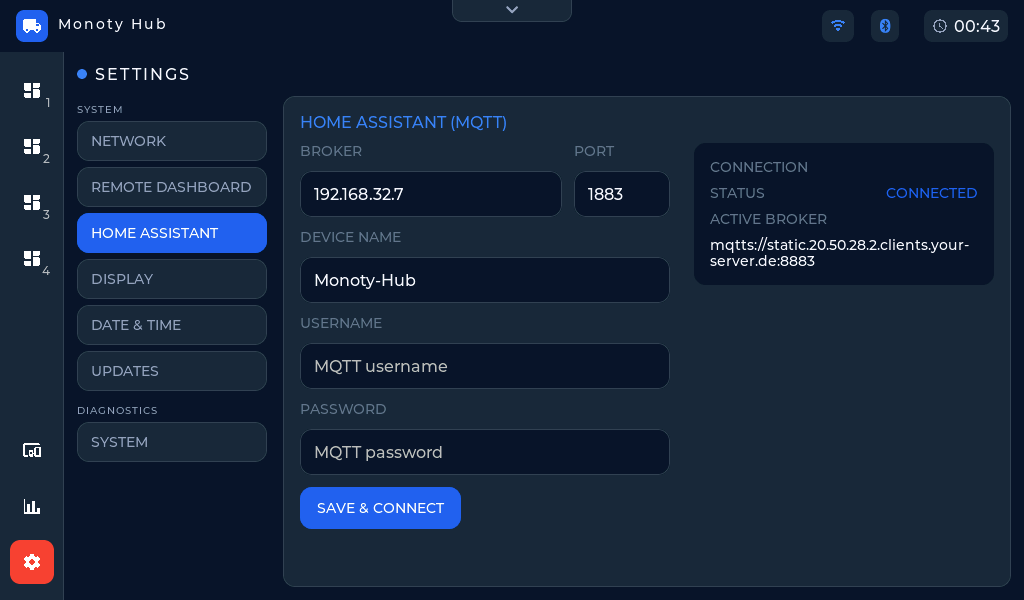 Settings → Home Assistant — point the panel at your own MQTT broker.
The device name is also the panel's network name
Whatever you put in Device name is the one name the panel wears everywhere. Besides naming the device in Home Assistant, it becomes:
- the panel's address on your network — a name like
monoty-hubmeans you can openhttp://monoty-hub.localin a browser instead of remembering an IP address, on any phone or computer on the same network; - the name your router lists the panel under in its list of connected
devices, instead of a generic
espressif.
Both take effect on the next restart after you change the name, and your router may keep showing the old name until the panel's address lease renews.
Switching the connection off and on
The Activate MQTT switch, below the Save & connect button, turns the Home Assistant connection off and on. Switching it off keeps your broker address, username, and password, so turning it back on reconnects without retyping anything.
Saving with Save & connect switches this connection on as well as storing what you typed. Clearing the Broker field and saving is the other way to switch it off, and that one does discard the stored broker.
Remote Dashboard at the same time
The panel keeps a separate connection for your own broker and for the hosted Remote Dashboard, and both can be connected at once. Connecting Home Assistant does not take the van off the Remote Dashboard, and does not stop push notifications. Each has its own switch on its own tab — Activate MQTT here, Activate remote dashboard there.
The status on this card is only ever about your own broker: SWITCHED OFF here says nothing about whether the Remote Dashboard is connected.